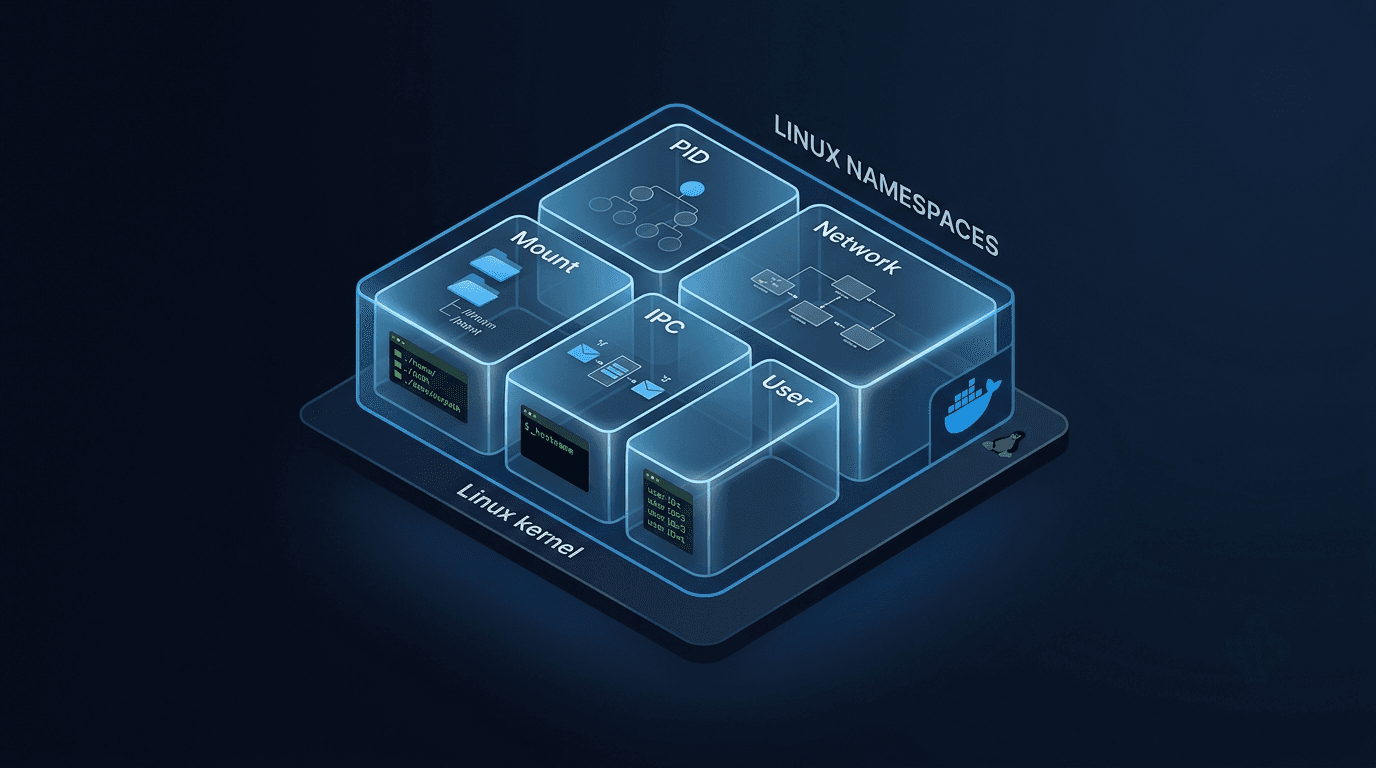
Docker containers can feel like small virtual machines. Run one command and an isolated system appears with its own processes, network, hostname, and filesystem.
But Docker is not creating magical isolation.
At the core, the model is:
Container = Linux process + namespaces for isolation + cgroups for limits.
The process is still a normal process running on a Linux kernel. Namespaces make it blind to selected parts of the system around it. Cgroups control how many resources it can consume.
Linux has had namespace support since the 2000s. Docker packaged these kernel features behind a developer-friendly interface. Today I went below that interface to see what the kernel was showing each container.
A Namespace Is a Room
I found it easiest to think of a namespace as a room inside a house.
The house is the host machine. A process placed in one room can see the things inside that room, but not everything in the rest of the house. Another process can be in a different room and see a different set of things.
Nothing was copied into a new machine. Both processes still use the same underlying Linux kernel. The kernel changes the view each process receives.
That is what namespace isolation means: not a separate kernel, but a restricted view of the same kernel.
The Six Namespace Types
These are the six foundational namespaces used to build the container model:
| Namespace | What it hides from the container |
|---|---|
pid |
Processes outside its process tree and their IDs |
net |
Other network devices, IP addresses, routes, ports, and firewall rules |
mnt |
Mount points and the host's filesystem view |
uts |
The host's hostname and domain name |
ipc |
Other processes' shared memory, message queues, and semaphores |
user |
The host's user and group ID mapping |
Modern Linux also has cgroup and time namespaces, but these six explain the main isolation most people first encounter with containers.
Namespaces can be combined independently. Two processes might share a network namespace while using different PID or mount namespaces. That ability becomes important when we reach Kubernetes Pods.
Seeing Namespaces in Action
I started with an Nginx container:
docker run -d --name demo nginxThen I asked Docker for its PID:
docker inspect --format '{{.State.Pid}}' demo2632One environment detail matters here: I ran these experiments through Docker Desktop on macOS. Linux containers cannot run directly on the macOS kernel, so Docker Desktop runs them inside a lightweight Linux VM. When I say "outside the container" below, PID 2632 belongs to that outer Linux environment. My Terminal still showed the macOS host filesystem and hostname.
UTS namespace: two hostnames
First I checked the hostname on my Mac:
hostnamePratiks-MacBook-Air-M1.localThen I checked the hostname inside the container:
docker exec demo hostnamefcb75c09bee8Same physical laptop, different hostname view. The UTS namespace hides the surrounding hostname and gives the container its own.
PID namespace: one process, two IDs
Inside the container, Nginx appeared as PID 1. Outside that namespace, Docker reported PID 2632.
Inside container: nginx = PID 1
Outside container: nginx = PID 2632
This is the same process seen through two PID namespaces. The container does not know it is PID 2632 in the parent namespace. Its own view begins at PID 1.
PID 1 is also special on Linux: it becomes responsible for tasks such as reaping orphaned child processes and handling signals correctly. That is why the behavior of a container's entry process matters during shutdown.
Network namespace: same interface name, different network
Next I started another container:
docker run -d --name demo2 nginxBoth containers showed an interface called eth0, but /proc/net/dev reported different counters:
demo  eth0: 1824 bytes / 20 packets received
demo2 eth0:  872 bytes / 10 packets received
If both containers shared one network stack, those counters would describe the same interface. They did not. Each eth0 belonged to a different network namespace.
Their IP addresses confirmed it:
demo:  172.17.0.2
demo2: 172.17.0.3
Both containers were attached to the same Docker bridge network, but each had its own virtual interface, IP address, routes, ports, and counters. Reusing the name eth0 did not mean reusing the interface.
Mount namespace: different filesystem views
Finally, I compared the filesystems.
My macOS host showed directories such as:
Applications
Library
Users
The container showed a Linux root filesystem:
bin
boot
etc
usr
The container could not see my Mac's normal filesystem tree. Its mount namespace presented a different root and different mount points.
This does not mean files can never cross the boundary. A bind mount or Docker volume deliberately exposes selected storage inside the container. Without one, the process sees the filesystem assembled for its container.
These experiments all showed the same pattern: the process was not placed inside a tiny machine. The kernel gave it a different view.
The Kubernetes Connection: Why Pod Containers Share Localhost
With plain Docker, each container normally gets its own network namespace. My demo and demo2 containers proved it: separate IP addresses, interfaces, and counters.
Kubernetes changes that boundary.
All containers inside one Pod share one network namespace. Kubernetes creates a small infrastructure container, commonly called the pause container, to hold that namespace. The application's containers join it.
flowchart LR
    subgraph P["Kubernetes Pod: one network namespace"]
        PAUSE["pause container<br/>owns namespace"]
        APP["application container"]
        SIDE["sidecar container"]
        APP -->|localhost| SIDE
        APP -. joins .-> PAUSE
        SIDE -. joins .-> PAUSE
    end
The useful analogy is:
- Plain Docker containers are separate houses. To talk, one needs the other house's address.
- Containers in one Pod are rooms in the same house. They can shout through
localhost.
Because the containers share a network namespace, they share the Pod's IP address and port space. An application can reach a sidecar on localhost, and two containers cannot both bind the same port on the same address.
This is why sidecar patterns work without extra network setup. A logging helper, local proxy, or service-mesh sidecar can sit beside the application and communicate through the same network stack.
The opposite option is hostNetwork: true. In that case, the Pod uses the node's network namespace directly instead of receiving its own. The Pod then sees the node's network interfaces and shares its port space, so port conflicts and reduced isolation become important trade-offs.
The Other Half of the Puzzle
I also checked the container's cgroup membership:
docker exec demo cat /proc/1/cgroup0::/That single unified entry is the cgroups v2 format. The / path shows that PID 1 appears at the root of the cgroup namespace visible inside this container; it does not mean Docker applied no resource accounting outside that view.
The distinction is the important part:
Namespaces control what a process can see. Cgroups control what a process can use.
Cgroups are how the kernel accounts for and limits resources such as CPU and memory. Kubernetes builds its resource requests and limits on top of that machinery.
That deserves its own experiment.
The Abstraction Is Gone
Today made the container abstraction much less mysterious.
Nginx was PID 1 inside one namespace and PID 2632 outside it. Two containers both had an eth0, but those interfaces had different counters and IP addresses. The container saw a Linux filesystem and its own hostname while my Mac showed something else.
No tiny virtual machine was hiding inside the Nginx image. A normal Linux process had been made blind to everything outside its namespaces.
The one-line model is still the best one:
Container = Linux process + namespaces + cgroups.
Namespaces explain the isolation. In a future blog, I will look at cgroups: the kernel feature behind Kubernetes CPU and memory limits.
If this helped, follow along. More Kubernetes and Linux internals coming every week. LinkedIn or X.