You have used Kubernetes. You know Deployments, ReplicaSets, and Services. You have probably watched a pending Pod, checked its events, and blamed kube-scheduler when it did not land on a node.
But how does Kubernetes start the first time?
Before kube-apiserver is accepting requests, there is nowhere to submit a Pod. Before kube-scheduler is running, nothing can choose a node for it. Before etcd is available, the control plane has no normal place to store cluster state.
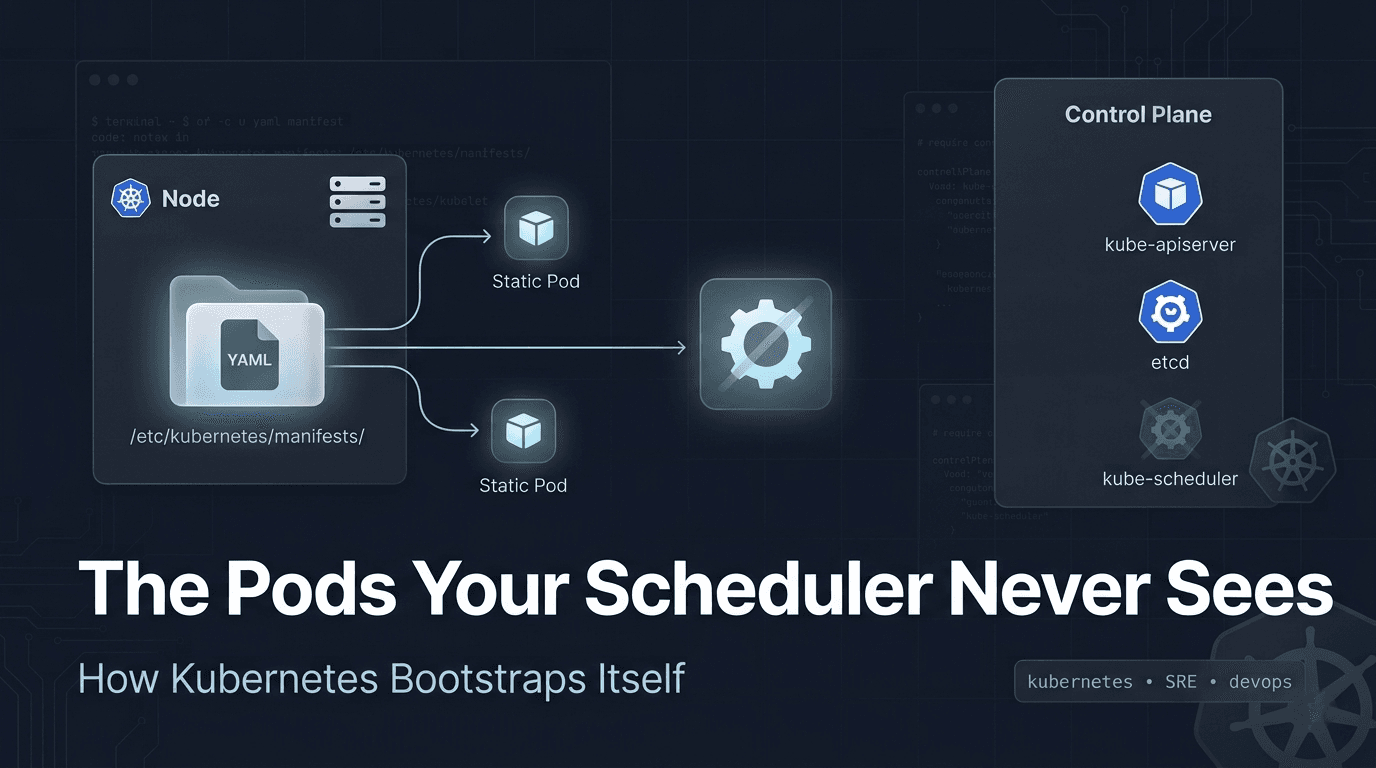
Kubernetes solves this with a Pod type that skips that entire path. It is managed directly by kubelet, tied to one node, and invisible to the scheduler. In a cluster created with kubeadm, these Pods bring the control plane itself to life.
Most developers use Kubernetes for months without realizing this layer exists.
What Are Static Pods?
A static Pod is a Pod managed directly by kubelet on a specific node.
With kubeadm, its definition is a YAML file inside:
/etc/kubernetes/manifests/kubelet watches this directory. When a valid Pod manifest appears, kubelet asks the container runtime to start it. When the manifest changes, kubelet updates the workload. When the file disappears, kubelet removes the Pod.
There is no request to kube-apiserver to create the workload. kube-scheduler does not choose a node because the manifest already lives on one particular node. kubelet owns the lifecycle from start to finish.
The directory is configurable through staticPodPath in the kubelet configuration, but /etc/kubernetes/manifests/ is the standard path used by kubeadm.
The mental model is simple:
flowchart LR
    A["Manifest file on node"] -->|watched by| B["kubelet"]
    B -->|CRI request| C["Container runtime"]
    C --> D["Running Pod"]
The source of truth is the file on disk, not the Pod object stored in etcd.
Why deleting one feels broken
Suppose you find a static Pod and run:
kubectl delete pod kube-apiserver-control-plane -n kube-systemThe command can report that the Pod was deleted. A moment later, it appears again.
That is not a hidden Deployment recreating it. The real static Pod never stopped because its manifest still exists on the node. kubelet continues to enforce what that file describes.
To remove a filesystem based static Pod, you must remove or move its manifest from the watched directory:
sudo mv /etc/kubernetes/manifests/example.yaml /tmp/example.yamlOn its next scan, kubelet sees that the definition is gone and stops the Pod. Move the file back and the Pod returns.
One practical warning: do not keep backup manifests inside /etc/kubernetes/manifests/. kubelet reads every non-hidden file there, not only files ending in .yaml. A file named kube-apiserver.yaml.backup can still be processed as a manifest. Store backups somewhere else, such as /etc/kubernetes/backup/.
But Wait, They Show Up in kubectl?
Run this on a kubeadm control plane node:
kubectl get pods -n kube-systemYou will see entries such as:
etcd-control-plane
kube-apiserver-control-plane
kube-controller-manager-control-plane
kube-scheduler-control-plane
If kube-apiserver did not create these Pods, why can it list them?
The answer is mirror Pods.
For each static Pod, kubelet tries to create a matching mirror object through kube-apiserver. This object makes the workload visible through kubectl, dashboards, and monitoring tools. Its name normally includes the node hostname, and it carries the kubernetes.io/config.mirror annotation.
The mirror object is not the owner of the workload. It is closer to a read-only reflection of something kubelet is already running.
A mirror Pod gives the control plane visibility. The local manifest still has control.
You can inspect it. You can use its labels in selectors. You can even delete the mirror object, but you cannot permanently change the underlying static Pod through it. kubelet recreates the mirror because the local manifest still exists.
This is why deleting a control plane Pod through kubectl can feel confusing. You are deleting the reflection, not the thing casting it.
The Kubernetes static Pod documentation describes the same boundary clearly: the API server can observe the mirror, but it does not control the static Pod.
What Are Dynamic Pods?
Dynamic Pod is not a separate Kubernetes API kind. It is a useful name for the normal Pods managed through the control plane.
These are the Pods you create with kubectl, or indirectly through a Deployment, DaemonSet, StatefulSet, Job, or another controller.
Their path has five clear steps:
- A user or controller submits the Pod to
kube-apiserver. kube-apiservervalidates it and persists the object inetcd.kube-schedulerfinds the unassigned Pod, chooses a node, and records the binding through the API.- The
kubeleton that node sees the assignment. kubeletasks the container runtime to start the containers.
Here, the API object is the source of truth.
Delete a bare dynamic Pod and it stays gone because no higher-level controller wants another one:
kubectl delete pod debug-shellDelete a Pod owned by a Deployment and a replacement appears. That behavior does not come from the Pod being dynamic. The ReplicaSet notices that the actual replica count is below the desired count and creates another Pod.
This distinction matters. Static Pods return because kubelet keeps reading a local manifest. Managed dynamic Pods return because a control plane controller keeps reconciling an API object.
The Paradox Nobody Talks About
Now look at a control plane created by kubeadm:
sudo ls -1 /etc/kubernetes/manifests/You normally get:
etcd.yaml
kube-apiserver.yaml
kube-controller-manager.yaml
kube-scheduler.yamlkube-apiserver, kube-controller-manager, and kube-scheduler run as static Pods. When the cluster uses the local stacked etcd setup, etcd does too. Other Kubernetes distributions can package their control plane differently, but this is the standard kubeadm design.
Why You Do Not See This on EKS, GKE, or AKS
If you use Amazon EKS, Google Kubernetes Engine, or Azure Kubernetes Service, you normally cannot inspect these manifests. The cloud provider owns and manages the control plane nodes, so you do not get host access to browse /etc/kubernetes/manifests/. The way those providers run their internal control plane components is also their implementation detail.
That is why the static Pods described here are easiest to observe on a self-managed cluster created with kubeadm. On EKS, GKE, or AKS, kubectl get pods -n kube-system mainly shows the system workloads exposed inside your cluster, not the provider's hidden control plane processes.
AWS, Google Cloud, and Azure all document this as a managed control plane model: EKS control plane, GKE cluster architecture, and AKS control plane networking.
Now read that list again.
kube-scheduler itself is inside a Pod that kube-scheduler never scheduled.
It cannot schedule itself because it is not running yet. The same dependency problem applies to kube-apiserver. You cannot ask the API server to create the API server before an API server exists.
During bootstrap, the node operating system starts the container runtime and kubelet. kubeadm writes the control plane manifests to /etc/kubernetes/manifests/. kubelet reads them locally and starts the containers without waiting for the control plane.
The node-level bootstrap path looks like this:
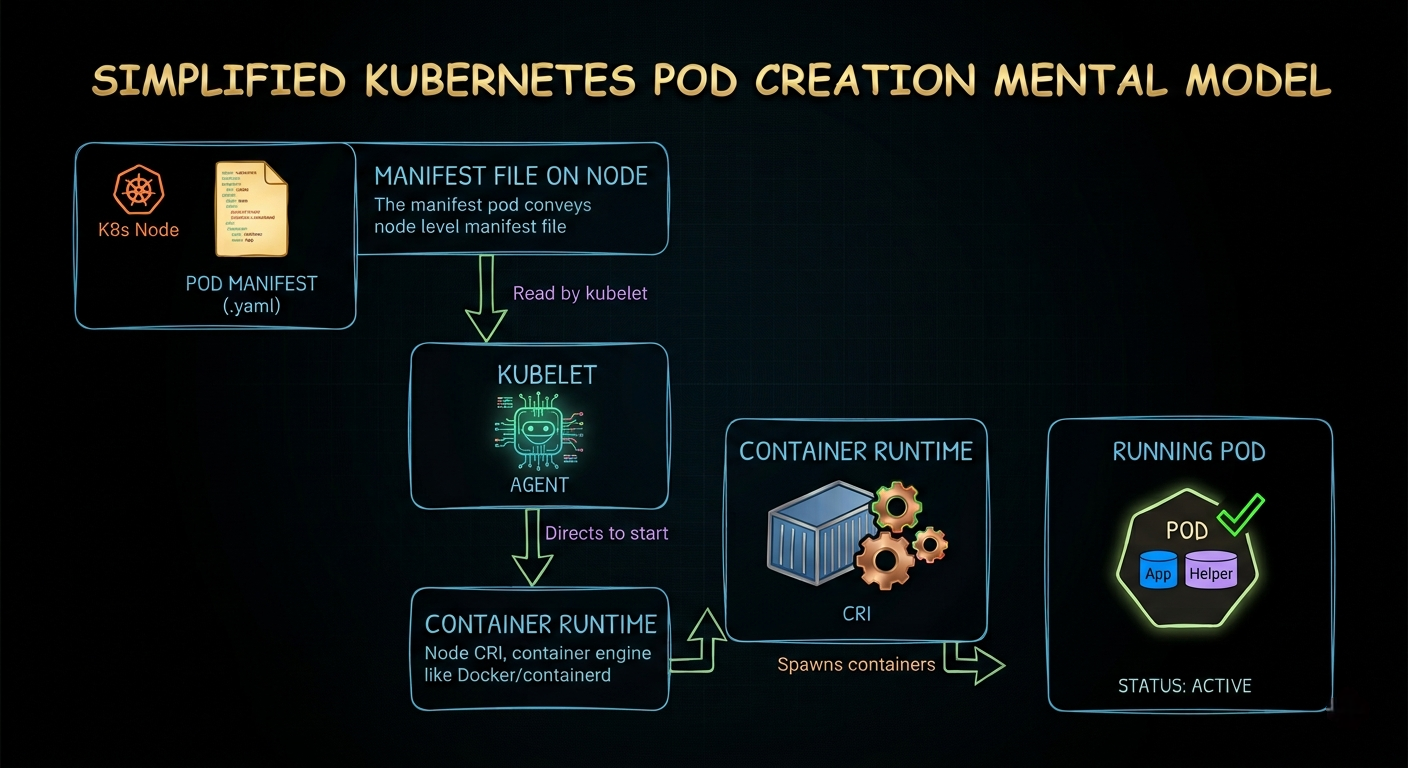
For a kubeadm control plane, those local manifests start etcd and kube-apiserver first. kube-controller-manager and kube-scheduler can then connect, and normal API-driven Kubernetes becomes available.
The control plane static Pods use the host network, which also lets them start before a cluster network plugin is ready. Once kube-apiserver becomes available, kubelet creates their mirror Pods and the familiar kubectl view appears.
That is the bootstrap trick: static Pods let Kubernetes start core Kubernetes components without requiring a working Kubernetes control plane first.
The scheduler never schedules itself. kubelet starts it from a file.
Static Pod vs Dynamic Pod
| Static Pod | Dynamic Pod | |
|---|---|---|
| Who creates it | kubelet from a local manifest |
User or controller through kube-apiserver |
| Source of truth | File on the node | API object stored in etcd |
| Scheduler involved | No | Usually yes |
| Delete behavior | Deleting mirror does not stop it; removing manifest does | Bare Pod stays deleted; controller-owned Pod may return |
| Use case | Bootstrap or critical node-local component | Regular application and platform workload |
| Example | kube-apiserver in a kubeadm cluster |
Pod owned by a Deployment |
The words "usually yes" matter for dynamic Pods. A Pod can have .spec.nodeName set directly, which bypasses normal scheduler placement. It is still API managed and is not a static Pod. Scheduler involvement alone does not define the category. The source of truth does.
Static Pod source of truth: a manifest on the node. Dynamic Pod source of truth: an object in the Kubernetes API.
When Would You Actually Use Static Pods?
For most developers, the answer is rarely. Their value is in a small set of infrastructure cases.
Bootstrapping the control plane
This is the main use case. kubeadm writes manifests for kube-apiserver, kube-controller-manager, kube-scheduler, and local etcd. kubelet can start them before the control plane exists.
Keeping a critical node component independent
A static Pod can continue to be supervised locally during an API server outage. That can be useful for a critical node-specific agent that must not depend on scheduling or controller availability.
Use this carefully. If the workload belongs on every node in a healthy cluster, a DaemonSet is normally better. A DaemonSet gives you standard rollout, rollback, scaling, and API management. Static Pods do not.
Recovering a broken control plane
When kube-apiserver is down, kubectl cannot help much. Static Pod manifests still give you a direct recovery path on the node.
Useful checks include:
sudo ls -l /etc/kubernetes/manifests/
sudo crictl ps -a
sudo journalctl -u kubelet
If a control plane component is crash looping, inspect its container logs with crictl. If a manifest has a bad flag, certificate path, or image, fix the file and let kubelet restart the component.
Do not use static Pods for regular applications. You lose the normal controller model, scheduling, rollouts, and easy lifecycle management that make Kubernetes useful. Use a Deployment, StatefulSet, or DaemonSet instead.
The Layer Most Developers Miss
Most of us learn Kubernetes from the API downward. We create a Deployment, expose a Service, inspect a Pod, and assume every workload entered through kube-apiserver.
Static Pods reveal the layer underneath that model. A node can run a Pod from local intent, report a mirror for visibility later, and keep the control plane alive even when parts of that control plane are unavailable.
This is not interview trivia. During a control plane incident, knowing that /etc/kubernetes/manifests/ is the real source of truth changes where you look and which tools you use. kubectl may be unavailable or may only show a mirror. The useful evidence could be in journalctl, crictl, or the manifest sitting on disk.
That is the kind of Kubernetes knowledge that separates memorizing commands from understanding the system. It also gives you a much stronger answer when an SRE interviewer asks, "Who schedules the scheduler?"
The answer is nobody. In a kubeadm cluster, kubelet starts it as a static Pod.
If this helped, follow along. More Kubernetes and observability internals coming every week. LinkedIn or X.